 Petola




Care, in a familiar conversation
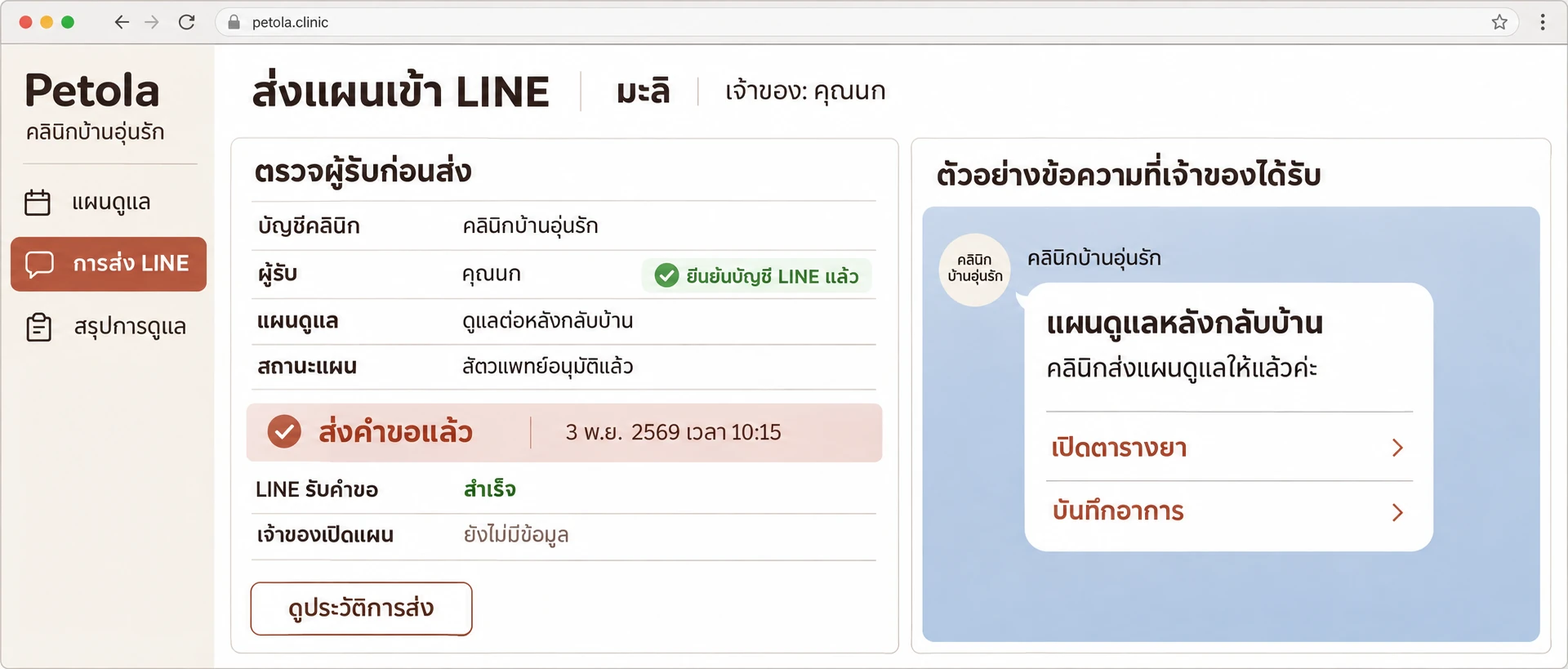
Open the schedule and observations from a clinic message.
Open full-size image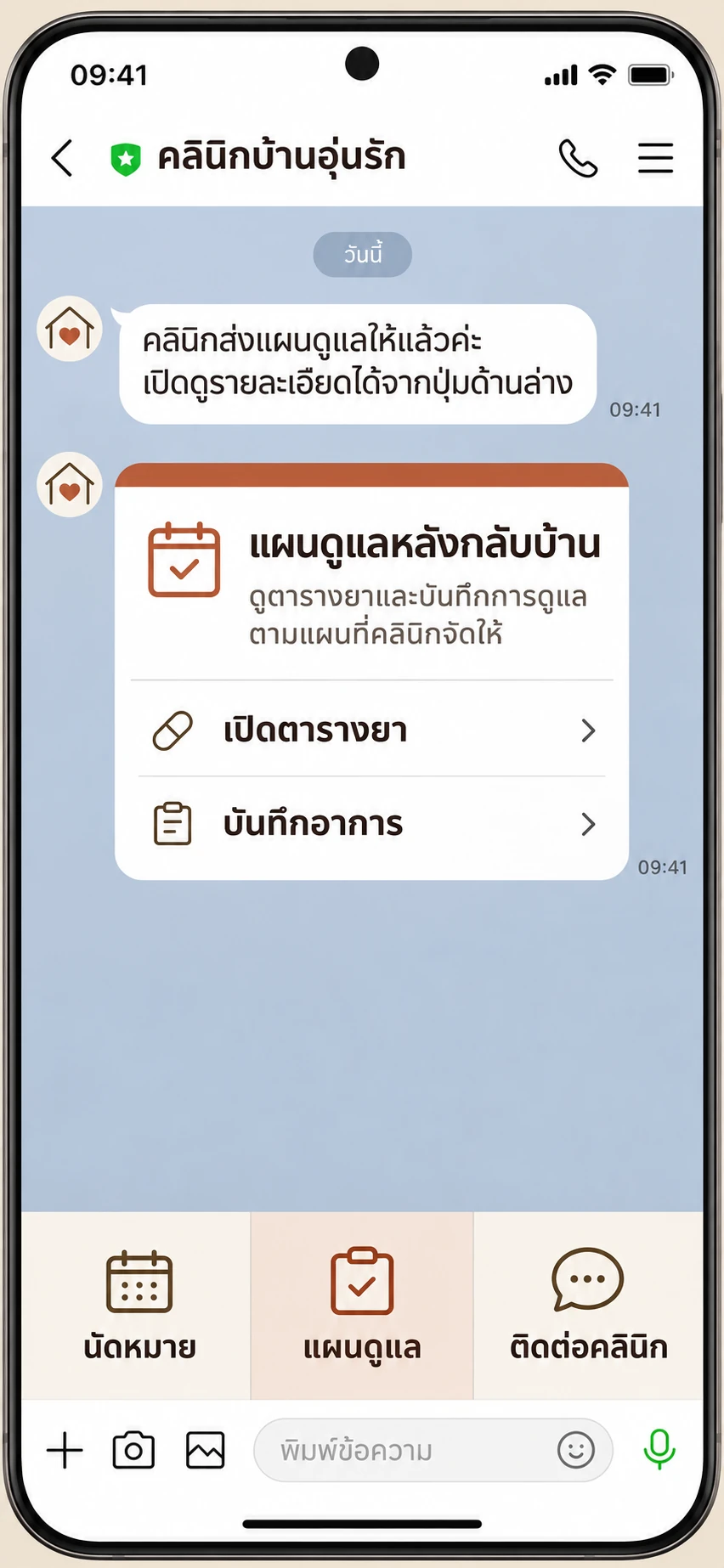
Bring your vet’s advice home with care schedules the whole household can follow.

Schedules, observations and household care.
One shared place.
Open the schedule and observations from a clinic message.
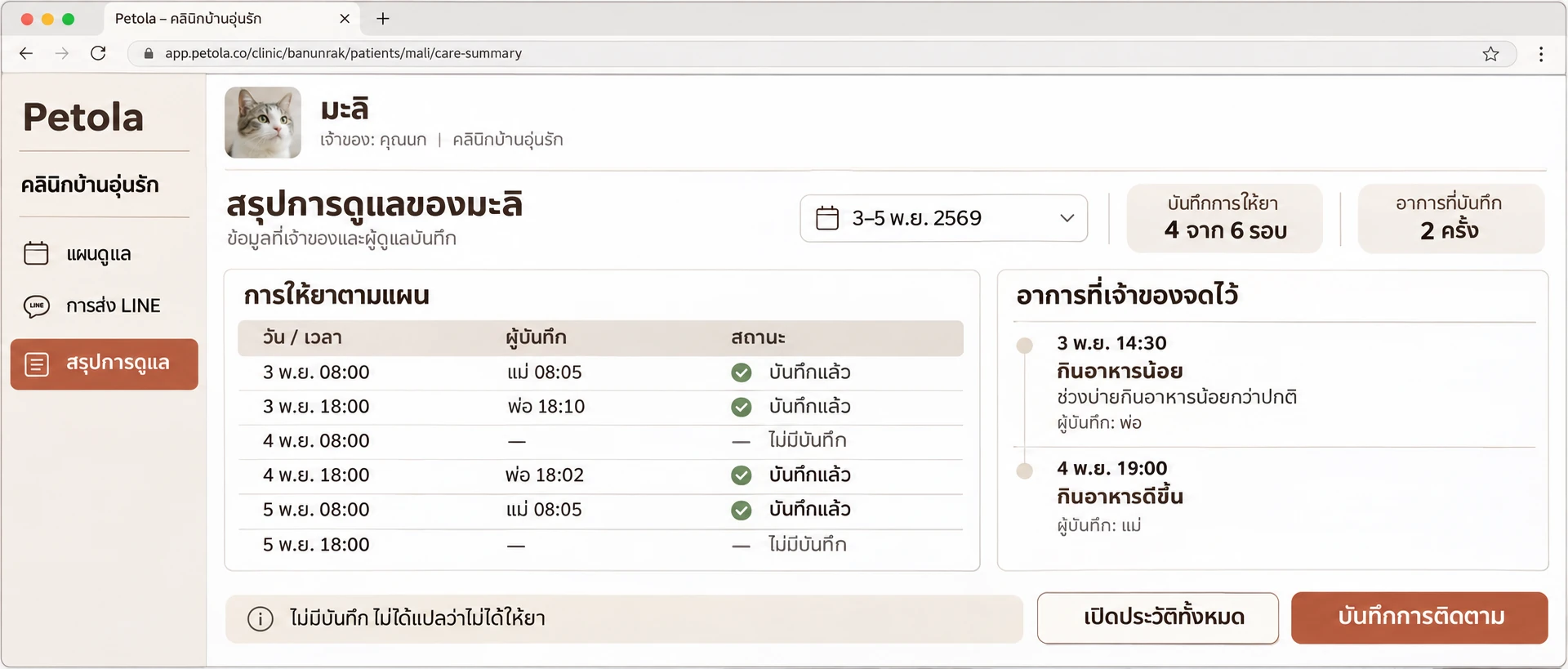
Open full-size imageCheck the time, caregiver and entries still unrecorded.
Open full-size image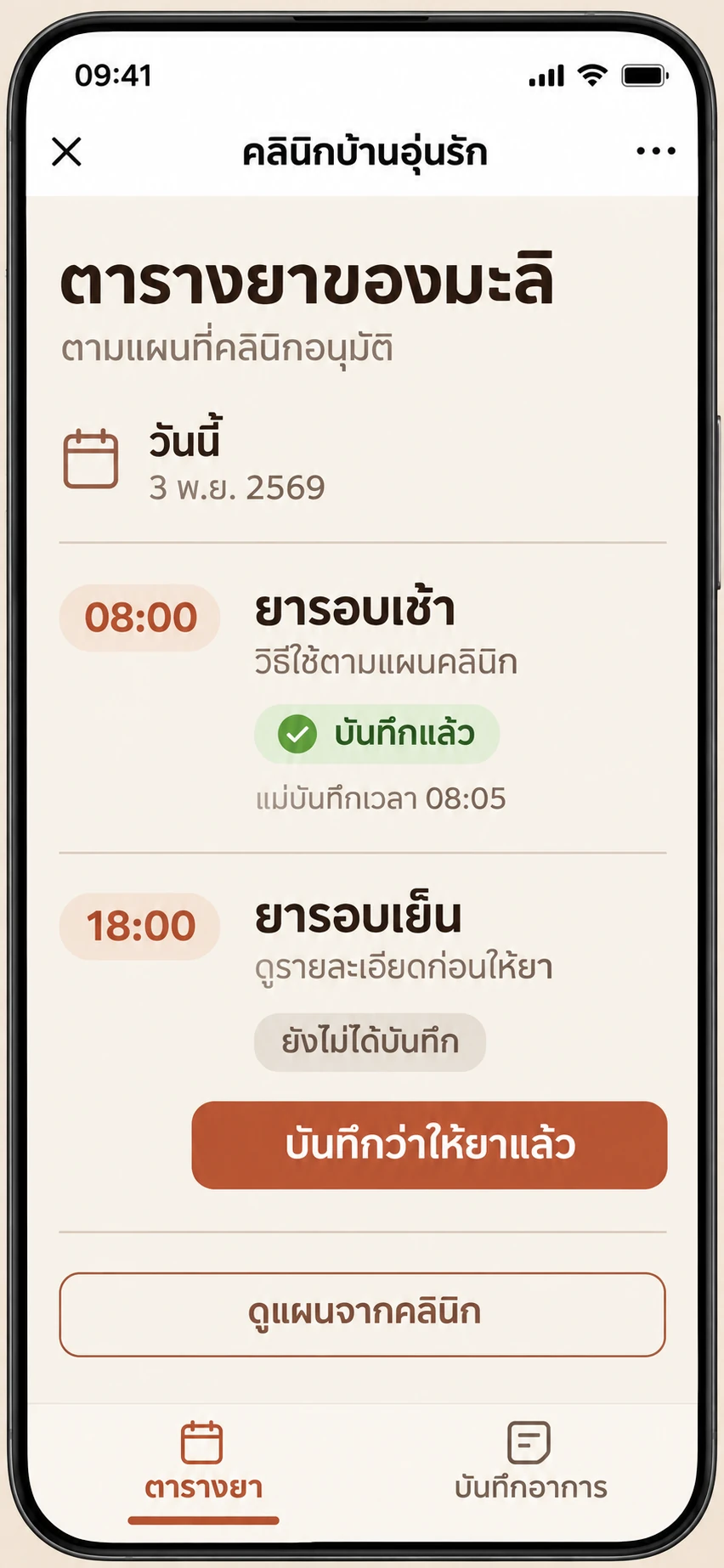
A proposed workspace for your clinic.
Prepare, share and review.
Set the schedule and follow-up period before sharing.
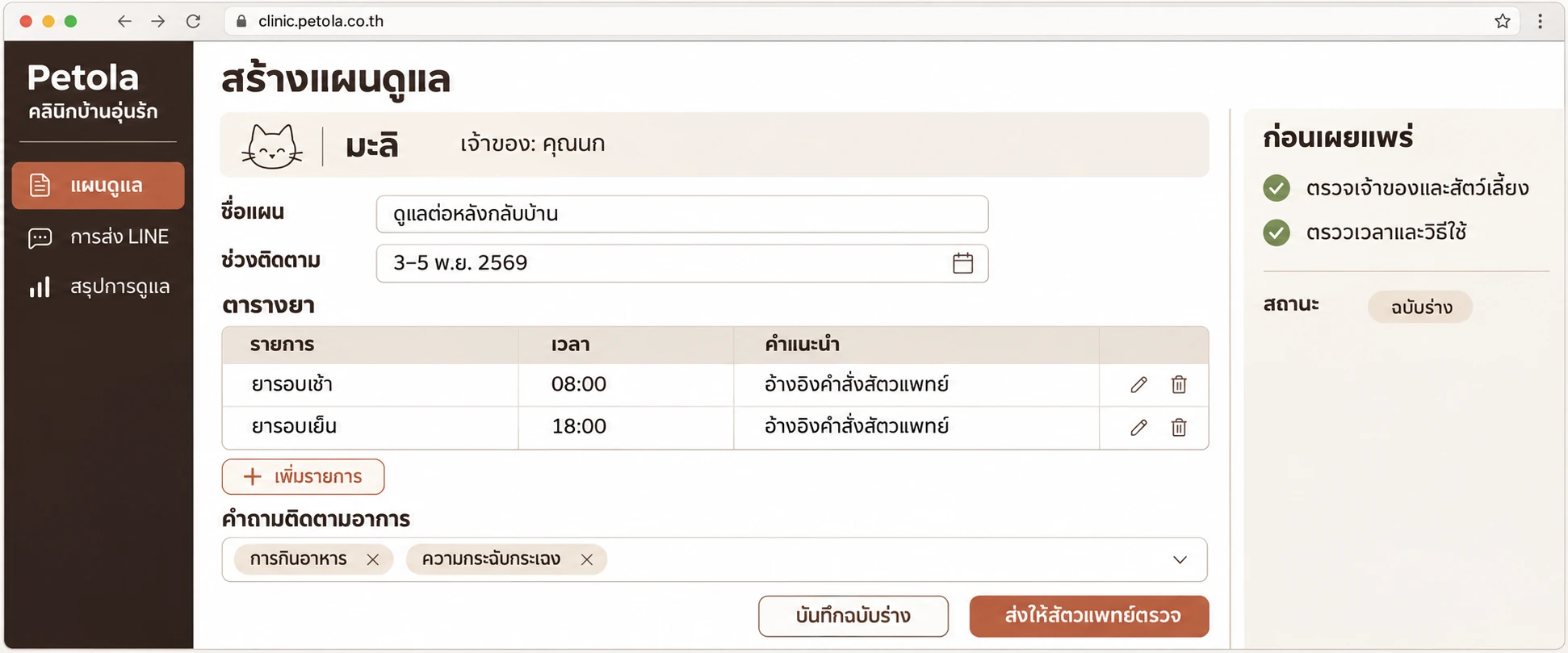
Choose the recipient, review the plan and send an access-controlled link.
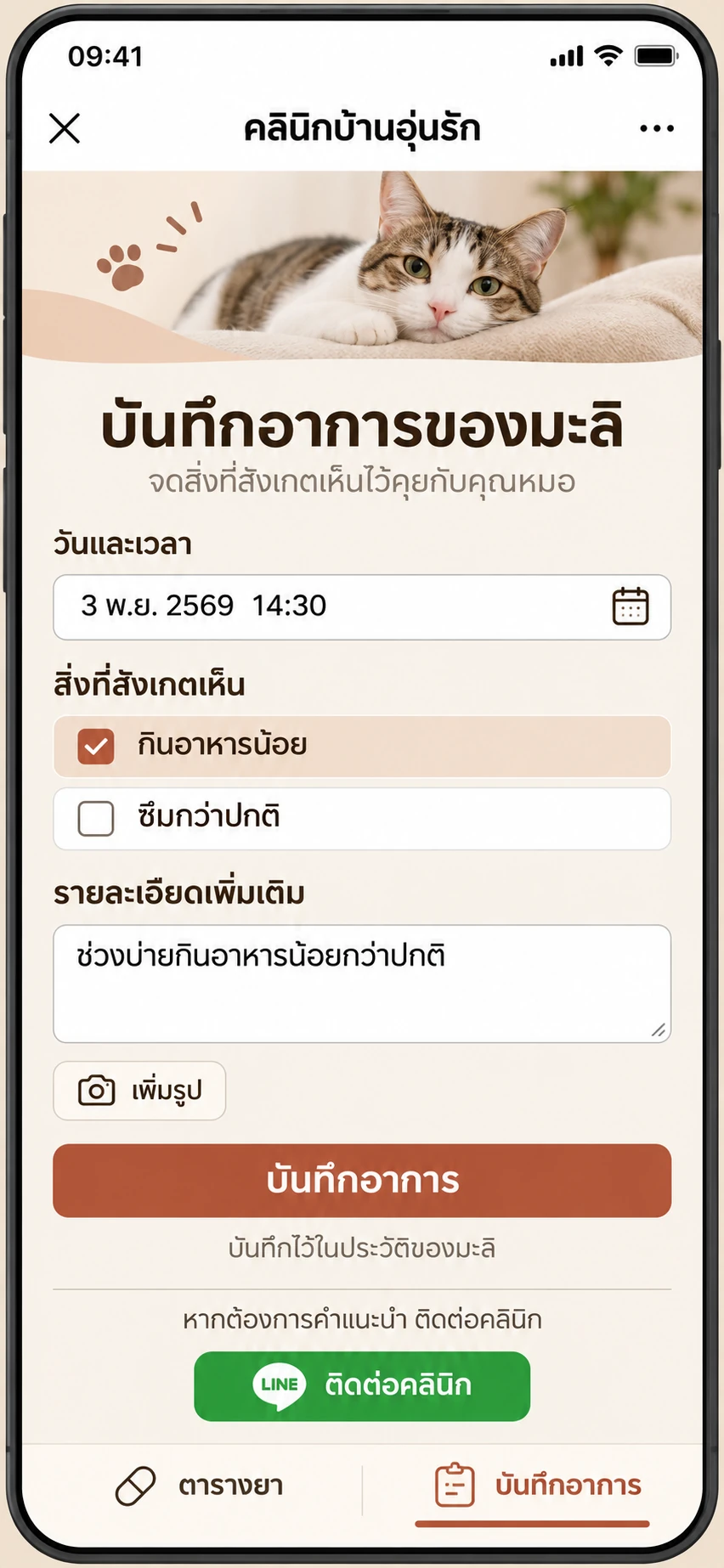
Review dose entries and observations the owner chooses to share.
Plan the connection around your OA
and the software you use today.
Vet-approved plan
A familiar conversation
Care, record, share
The clinic provides vet-approved instructions. Owners enter them in Petola with staff guidance. The clinic plan editor is a planned concept.
Review the existing OA and Messaging API first. If a bot or CRM is connected, coordinate the webhook with that provider. The clinic retains its account and data.
Your existing software remains the clinical source of truth. File import, API and webhook connections need separate assessment against vendor documentation and permissions.
Match the owner and pet, obtain sharing permission and test changed or cancelled plans. LINE message quotas are shared with other systems on the same OA.
Training, help getting started and follow-up support.
One payment. 45 days of support.
For one branch.
Up to 30 owners, one case each.
No automatic monthly renewal.
Help owners set schedules, record observations and share care with their household.
Integration is separate. We review your systems and confirm the work and price before starting.
Ask about integration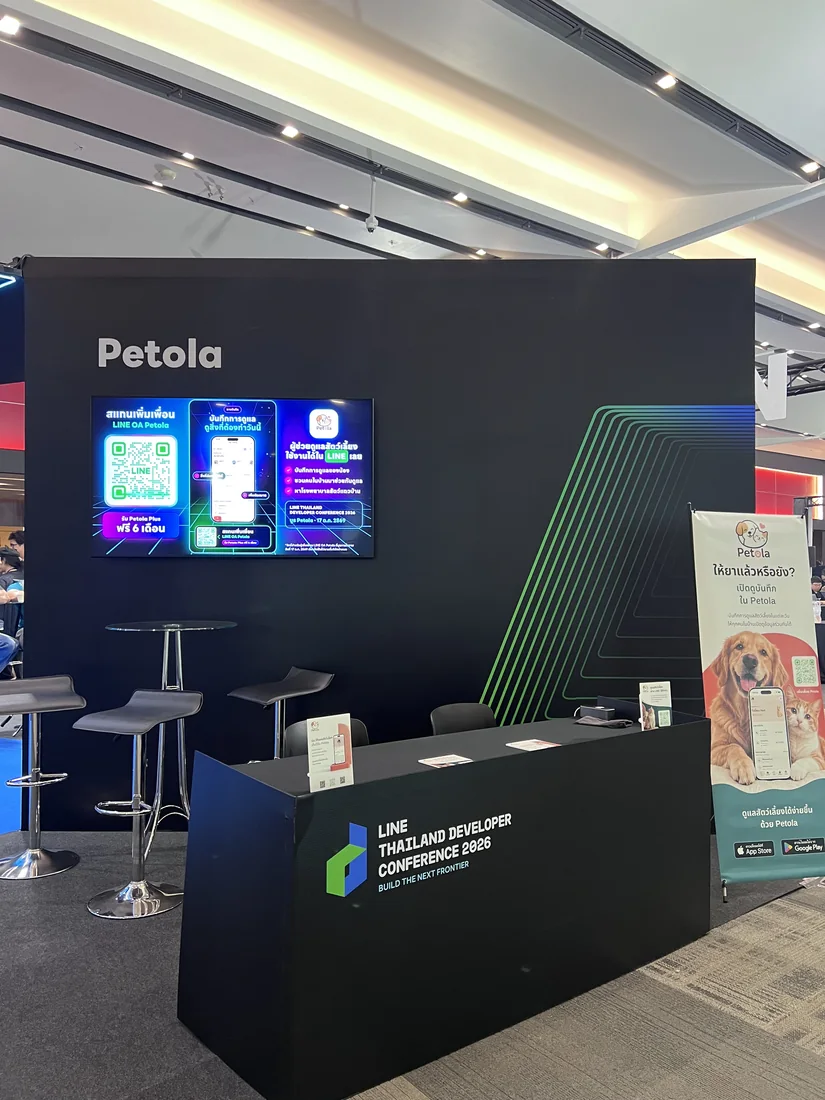
Petola at LINE DEV CON 2026
Owners can use Petola to record care, observations and history with authorised caregivers. The pilot helps introduce an agreed workflow using existing capabilities. Staff accounts, clinic plan approval and OA or software connections need separate assessment and development.
The proposed approach uses the OA the clinic already owns. Check whether Messaging API is enabled and whether a vendor already uses it, then agree message handling, menus and reminders before connecting.
Begin with the software already in use as the clinical source of truth. Petola access depends on vendor-authorised interfaces. A staff-assisted or file-based workflow may precede automation.
Owners can start with the existing Petola entry point in LINE. Clinic-OA plan links shown in the concept require integration and testing. The Petola mobile app remains another option.
Assess care after the visit: shared household recording, observations and history for the next conversation with the vet. If your existing system already covers this, establish whether any additional value justifies the work and cost.
They are concepts for proposed development. Organisation accounts, staff permissions, plan approval, recipient linking and connectors must be built and tested before actual use. These are separate scope and quotation items.
Plus is not a prerequisite for the pilot’s basic workflow. Check entitlements for the features selected. Clinic service and integration fees are separate from an owner’s Plus subscription.
Access must be authorised for the agreed clinic, pet and scope. Following an OA or joining a household does not grant unrestricted access. Revocation and service-exit handling must be agreed as well.
No. The system shows whether a caregiver entered a record. Clinic staff can use it to ask follow-up questions; owner reports do not automatically become clinical findings.
Response ownership and hours must be agreed with the clinic. Saving a record does not establish that someone read it. For urgent advice, use the clinic’s designated contact channel.
One payment covers one training session, two check-ins and a final review over 45 days, for one branch and up to 30 owners. Includes six hours of support. Integration is separate.
Review benefits, problems, staff workload and costs before deciding whether to continue. There is no assumed automatic monthly subscription. Define access, export and exit arrangements in the agreement.
Tell us what software you use
and where you’d like to start.